 3D model converter
3D model converter is a tool that enables convert 3D models in 3DS-file
format (3D Studio) or in Directx X-file format to depth maps.
First , open a 3D models file (File menu-> open).
You can adjust position and angle of the 3D model by "Rotate" and "Move" panels.
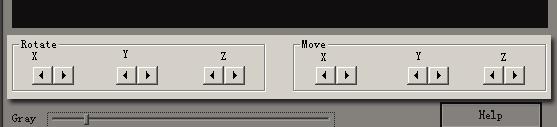
(Fig.Rotate and Move panels)
And then , save it into bmp files as a depth map (File menu->save).
Tip: you also can move or rotate the 3d model by mouse.
To rotate the 3d
model, hold down the left mouse button and move the mouse. To move the 3d model,
hold down the right mouse button and move the mouse. To adjust the distance,
hold down the middle mouse button and move the mouse.